
Muse Video Prompts: 7 Examples and a Simple Formula
Learn to direct motion, camera movement, and native audio in Muse Video with seven short video prompts and a simple writing formula.
A still frame establishes the scene. A video prompt gives the scene a direction, from the first visible movement to the last sound the viewer hears.
How to write a Muse Video prompt
Start with one visible change. Decide what the viewer sees at the beginning, what moves, and where the shot ends. Then describe the sound that belongs to the action.
- Subject
- Name the person or object and one detail that should stay recognizable.
- Action
- Describe what changes and where the movement ends.
- Place and light
- Set the scene and say where the light falls.
- Camera
- Give the starting view and one camera move, or ask for a locked shot.
- Pacing
- Give the action time to start, finish and settle.
- Continuity
- Name the parts of the subject or setting that must stay consistent.
- Sound
- Name the source of each important sound and when it should happen.
Worked example · A kettle on the stove
The kettle anchors the frame, the steam supplies the visible change, and the whistle gives the shot a clear ending.
Choose an input
Text to video
Establish the subject, setting and starting frame in words. Describe the motion and audio once the scene is clear.
Image to video
Use the uploaded image to establish appearance. Tell Muse Video what to animate and what to preserve, such as a watch face or the direction of light.
For a reference-led shot, identify what the image controls and describe any motion in the text. For spoken lines, name the speaker and place the line after a visible cue.
Read the Muse Video User Guide →Video prompt examples
Each example is planned as a 10-second clip. Set the input mode and aspect ratio shown above the prompt. Use the time ranges as pacing cues when reviewing the result.
Backstage before the curtain
Text to video · 16:9
Prompt 01
What to check · Check that the first note begins with visible bow movement.
Tailor fitting a jacket
Text to video · 16:9
Prompt 02
What to check · Check that the fabric moves with the tailor's hand and the reflection matches the turn.
A bookstall in the rain
Text to video · 16:9
Prompt 03
What to check · Check that the book stays recognizable and the page-turn sound lands on the gesture.
Skateboard quick hook
Text to video · 9:16
Prompt 04
What to check · Check that the rider stays inside the vertical frame and the wheels maintain contact.
A field recorder demonstration
Text to video · 16:9
Prompt 05
What to check · Check that the button press is readable and that its click is distinct from the stream.
One line at the greenhouse
Text to video · 16:9
Prompt 06
What to check · Check that the speaker's mouth matches the line and the leaf rustle precedes it.
Character continuity
Image to video · 16:9 · Upload a portrait with the subject seated by a window
Prompt 07
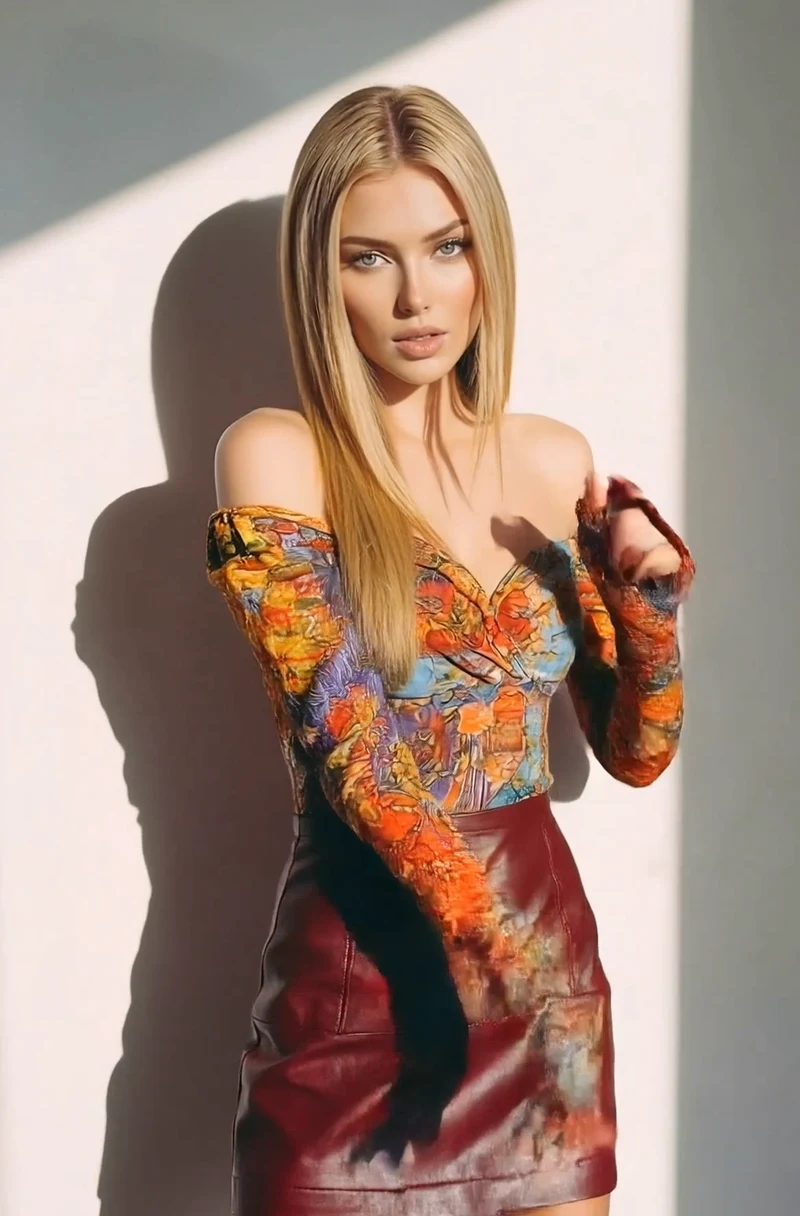
What to check · Compare the face, hairstyle and outfit with the portrait throughout the gaze shift.
Text-only prompt exercises
Keep the viewpoint attached to the subject
Starting draft · A camera glides through a greenhouse.
The tray should move with the viewpoint, and the cart should stop beneath the skylight.
Connect the beats of a short story
Starting draft · A storm rolls in.
Each beat changes the same reflection, and the sound builds with the rain.
Give the image and the prompt separate jobs
Starting draft · Make this photo cinematic.
Compare the first and last frames with the uploaded photo. The chair and framing should stay in place.
Prompt direction quick sheet
| Direction | How to use it |
|---|---|
| Locked shot | Keep the frame fixed while the subject moves. |
| Slow push-in | Move toward the subject and stop when the important detail fills the frame. |
| Side tracking | Move alongside the subject at its speed and keep it in the same part of the frame. |
| Reveal | Start with part of the scene hidden and name what the camera uncovers. |
| Reaction | Name the visible cue, then describe the look or gesture it causes. |
| Audio cue | Link the sound to the action, such as a click when the latch closes. |
| Final hold | Describe what remains visible after the movement stops. |
Common mistakes and fixes
- If the shot feels rushed, keep one main action and give it a clear ending.
- If the camera moves in the wrong direction, state what stays in frame and where the camera ends.
- If the sound feels disconnected, tie it to a visible event, such as the bell ringing as the door opens.
Bring the shot together
- Picture the opening and closing frames. Check that the action can take the subject from one to the other.
- Read the camera and sound directions together. Check that each important cue is visible or has a clear source.
- Watch the whole generated clip with sound, then revise the one instruction that would make the biggest difference.
Frequently asked questions
How detailed should a Muse Video prompt be?
Give enough detail to picture the shot. Describe the subject, visible action, setting, camera and sound. Add a continuity instruction when something specific should stay the same, such as a jacket color or a reference portrait.
Does every video prompt need timestamps?
A single continuous action can usually be described in one paragraph. Use time ranges when several actions or audio cues need to fit into one clip. Treat those ranges as pacing guidance and check the actual timing after generation.
How can I shorten a long prompt?
Keep the main action, camera direction, ending and important sound cues. Cut repeated mood words and background details that do not affect what the viewer sees or hears.
What does an AI video prompt control?
It describes what to show, how it should move and how the camera should follow it. In Muse Video, you can also describe what the viewer should hear, such as footsteps, a doorbell or a short line of dialogue.
How do I start writing a video prompt?
Start with one visible action, such as a barista pouring espresso over ice. Add the setting and framing, then describe where the shot ends and when the key sound happens.
Can I use a prompt with a reference image?
Yes. Let the image establish the appearance and opening composition. Use the prompt to describe what changes and which details should remain consistent. Example 07 shows how to direct a gaze shift while preserving the face, hairstyle and outfit.
Can a prompt-writing tool help me draft a video prompt?
Use it to turn a rough idea into a first draft or find missing details. Before generating, check that the camera can see the action, the timing fits the clip, and the text agrees with any reference image.